
Table of Contents
- What Advanced Computer Diagnostics for Diesel Engines Reveals
- How Modern Diesel Diagnostics Work: From Fault Codes to Fixes
- Choosing Heavy-Duty Truck Diagnostic Software That Pays for Itself
- Diesel Engine Fault Code Interpretation: A Practical Walkthrough
- Onboard Diagnostics vs. Laptop-Based Scanners: What You Need
- DIY Diagnostics vs. Professional Mobile Service: The Real Cost
- Common Mistakes to Avoid When Running Computer Diagnostics
- Get Back on the Road with Advanced Diagnostics On-Site
- Frequently Asked Questions
Last Updated: September 4, 2026
What Advanced Computer Diagnostics for Diesel Engines Reveals
Modern diesel engines are controlled by an engine control unit (ECU) that monitors dozens of sensors hundreds of times per second (nhtsa.gov). When a breakdown happens on I-80, advanced computer diagnostics for diesel engines is what separates a quick roadside fix from a multi-day shop visit.
At Mudhollow Diesel Mechanics, our technicians use sophisticated computer diagnostics daily to solve problems, revealing issues invisible to the naked eye.
A diagnostic scan is a comprehensive snapshot of your engine’s health, covering fuel injection system performance, emissions systems, aftertreatment status, and real-time monitoring of critical parameters. This data-driven approach ensures the first repair attempted is the right one.
How Modern Diesel Diagnostics Work: From Fault Codes to Fixes
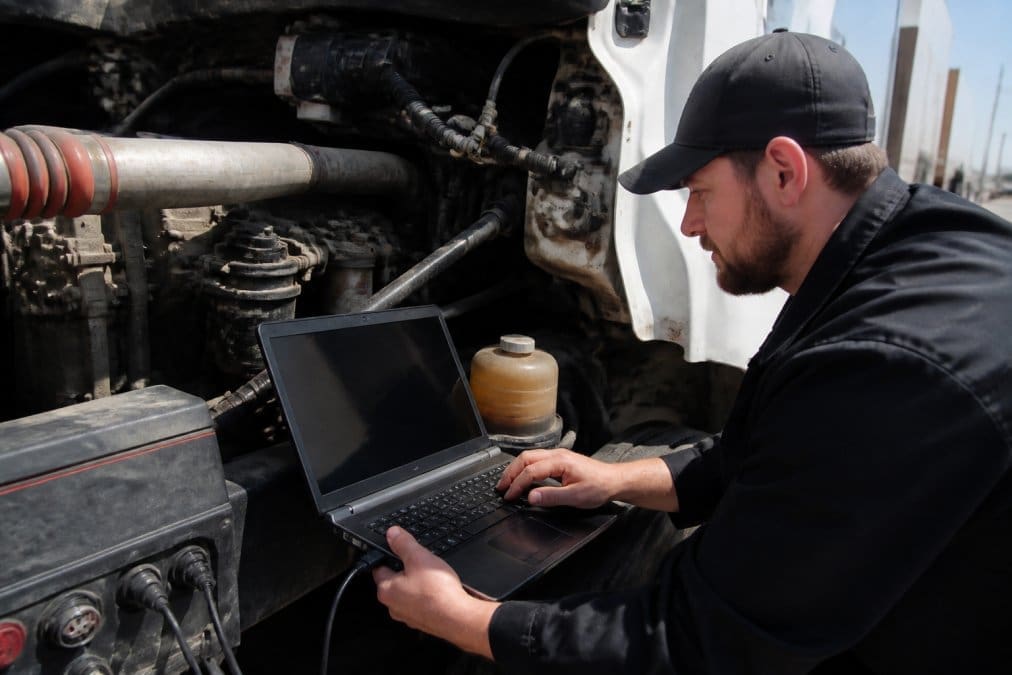
The process begins when your technician connects a diagnostic adapter to the truck’s CAN bus network to retrieve stored diagnostic trouble codes alongside live sensor data.
Modern systems go far beyond simple code reading. A quality diagnostic session captures data logging over time, allowing the technician to see if a fault is consistent or intermittent.
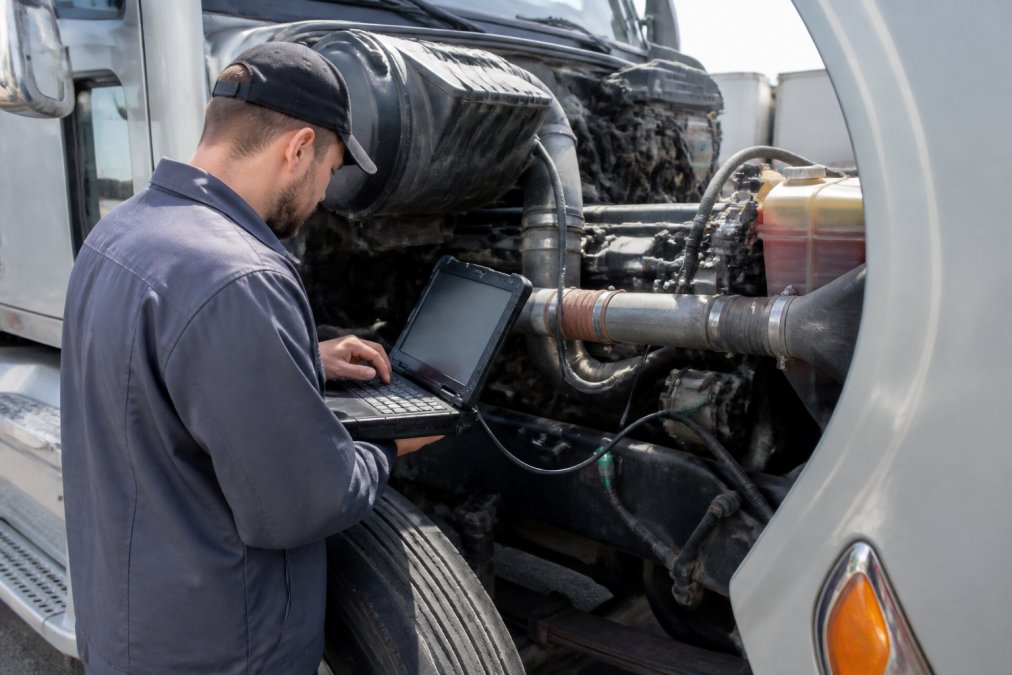
The technician then checks firmware updates and calibration data against manufacturer specifications, since outdated ECU software can cause malfunctions that mimic hardware failures.
When a scanner shows a fault code that points to an emissions or aftertreatment component, ask the technician to check for pending firmware updates first. Several common fault codes trace back to outdated ECU software rather than a failed part, saving you the cost of an unnecessary replacement.
Choosing Heavy-Duty Truck Diagnostic Software That Pays for Itself
Heavy-duty truck diagnostic software varies widely in capability. The best options provide comprehensive coverage across major engine manufacturers, not just one brand.
Beyond reading codes, high-quality platforms provide guided troubleshooting steps, wiring diagrams, and bi-directional controls that let a technician command components to test them directly.
| Software Feature | What It Does | Why It Matters |
|---|---|---|
| Multi-brand coverage | Reads ECUs from Cummins, Detroit, Volvo, and others | One tool serves a mixed fleet |
| Bi-directional control | Commands injectors, fans, and valves to test | Confirms the fix before reassembly |
| Data logging | Records sensor trends over time | Catches intermittent faults |
| Firmware updates | Flashes latest ECU programming | Prevents software-related false codes |
| Guided diagnostics | Walks through manufacturer test procedures | Reduces troubleshooting time |
For owner-operators, investing in professional-grade software only makes sense if you plan to do your own repairs, as subscription costs and the learning curve are substantial. Most drivers find that a professional mobile service delivers better value.
Diesel Engine Fault Code Interpretation: A Practical Walkthrough
Diesel engine fault code interpretation is where experience separates a true diagnostician from someone who simply reads numbers. Here is a practical walkthrough of the five most common heavy-duty fault codes.
P0219: Engine Overspeed Condition
- What it indicates: The ECU detected engine RPM exceeding the maximum allowable threshold. This is often a symptom, not the root cause.
- The professional’s next step: A technician doesn’t just reset this. They inspect the fuel injection pump and governor linkage for sticking, check the turbocharger for a seized shaft that could cause a runaway, and review the data log to see if the overspeed happened under load or at idle.
- On-site fix: Often, a faulty idle air control valve or a stuck fuel rack is the culprit. A mobile tech can clean or replace these components on the spot, preventing a catastrophic engine failure.
P0087: Fuel Rail Pressure Too Low
- What it indicates: The high-pressure fuel system cannot maintain the required pressure for proper injection.
- The professional’s next step: A novice might immediately replace the fuel filter. A professional first checks the fuel pressure at idle and under load using live data. They then inspect for air intrusion in the fuel lines, a failing fuel transfer pump, or a leaking high-pressure pump.
- On-site fix: If it’s a clogged filter, it’s a quick replacement. If the lift pump is weak, a mobile service can swap it in the parking lot. The key is verifying the pressure reading before and after the repair to confirm the fix.
P0401: Exhaust Gas Recirculation (EGR) Flow Insufficient
- What it indicates: The EGR system isn’t flowing enough exhaust gas, often due to a clogged cooler or a stuck valve.
- The professional’s next step: This is where context is king. The technician checks the EGR valve position sensor reading, commands the valve open with a bi-directional scan tool, and watches the differential pressure sensor across the EGR cooler. A high-pressure drop indicates a clogged cooler.
- On-site fix: While a full cooler replacement is a major job, a mobile technician can often clean the EGR valve and cooler in place using specialized tools, or replace the valve itself, which is a common failure point.
P2263: Turbocharger Boost Pressure Performance
- What it indicates: The boost pressure is outside the expected range for the current engine operating conditions.
- The professional’s next step: This code is a starting point, not a verdict. The technician checks for boost leaks in the charge air cooler and piping, tests the turbocharger actuator with the scan tool, and inspects the variable geometry (VG) vanes for carbon buildup.
- On-site fix: Many times, the issue is a leaking charge air hose clamp or a faulty actuator. Both are easily repaired on-site. If the VG vanes are stuck, a technician can often perform an in-place cleaning procedure.
P054F: Exhaust Gas Recirculation (EGR) Cooler Bypass Valve Control Circuit Low
- What it indicates: An electrical issue in the circuit that controls the EGR cooler bypass valve.
- The professional’s next step: This is a classic electrical fault. The technician doesn’t order a new valve immediately. They first check the wiring harness for chafing or corrosion, verify the valve’s resistance against manufacturer specs, and test for power and ground at the connector.
- On-site fix: Often, the problem is a corroded connector or a broken wire in the harness. A skilled mobile tech can repair the wiring, clean the connector, and clear the code, avoiding the cost of an unnecessary part.
When a scan tool shows a code, always ask for the freeze frame data. This snapshot of engine RPM, coolant temperature, and load at the moment of the fault is the single most important piece of context for a correct diagnosis. It tells you if the failure happened during a hard pull, at idle, or during a regeneration cycle.
This methodical approach prevents the most expensive mistake in diesel repair: replacing parts that weren’t broken.
Never clear a fault code and send a truck back out without understanding the root cause. A code that disappears after a reset will return, and the underlying issue often escalates from a minor repair to a catastrophic failure that leaves you stranded and facing a tow bill on top of the repair cost.
Onboard Diagnostics vs. Laptop-Based Scanners: What You Need
The gap between a basic code reader and a professional diagnostic system is vast. Onboard diagnostics through the standard OBDII port provide basic emissions-related data but offer limited depth for heavy-duty troubleshooting.
Laptop-based scanners, by contrast, connect through a diagnostic adapter to the full CAN bus network, unlocking every data channel the manufacturer programmed into the ECU.
The practical difference: a handheld scanner tells you a sensor is reading out of range. A laptop-based system tells you why.
The Technical Compatibility Checklist
It’s not just about buying software; it’s about ensuring your hardware can run it. Here is the checklist a professional uses.
1. The Connection: OBDII vs. 9-Pin Deutsch
- OBDII Port: Mandated on all light-duty vehicles since 1996, this port is typically found under the dashboard. On many newer medium-duty trucks, it provides access to some heavy-duty parameters, but it is not the primary interface for proprietary diagnostics.
- 9-Pin Deutsch Connector: This is the standard heavy-duty diagnostic port (SAE J1939) found on most Class 7 and Class 8 trucks. It provides direct access to the engine, transmission, and brake system ECUs over the high-speed CAN bus. A professional adapter will have both cables.
2. The Adapter: The Bridge Between Truck and Laptop
A high-quality adapter is not a simple cable. It contains a processor that translates the vehicle’s CAN data into a USB or Bluetooth signal your laptop can understand. Look for an adapter that supports the J1939 and J1708 protocols. Inexpensive Bluetooth adapters often lack the bandwidth and shielding needed for reliable heavy-duty data logging and can drop connections at critical moments.
CALL or TEXT NOW:712-827-0207 →
3. The Laptop: More Than Just a Screen
Professional diagnostic software is resource-intensive. Here are the minimum specifications that most current software platforms require:
- Operating System: Windows 10 or 11 (64-bit). Most heavy-duty software does not support macOS or Linux without a virtual machine, which adds another layer of complexity.
- Processor: A modern Intel Core i5 or AMD Ryzen 5 processor is the baseline. Older processors will make the software laggy when viewing live data graphs.
- RAM: 8 GB minimum, but 16 GB is recommended for smooth multitasking, especially when running a data logger alongside a web browser for reference manuals.
- Storage: A Solid-State Drive (SSD) is non-negotiable. Software boot times and data logging speeds are dramatically faster on an SSD.
- Battery Life: A fully charged laptop with a spare battery is essential for roadside work, as you may not have reliable access to a power outlet.
4. The Software: Matching the Engine Platform
This is where the real cost lies. Software is not universal. A platform that reads Cummins engines may not read Detroit or Volvo ECUs with the same depth. Professional-grade software subscriptions for a single engine family can cost thousands per year. For a mixed fleet, you may need multiple subscriptions or a top-tier platform that offers multi-brand coverage at a premium price.
The most sophisticated diagnostic software is useless if your laptop can’t run it, your adapter can’t communicate with the truck’s network, or you don’t have the right cable. A [professional mobile service](/mobile-diesel-mechanic-for-semi-trucks-247-roadside-repair/) eliminates this entire compatibility headache, the technician arrives with a fully integrated, tested system that is ready to plug into your truck’s 9-pin connector the moment they step out of the service vehicle.
For a single breakdown on the side of the interstate, that investment rarely makes sense compared to having a technician arrive with a system that is already working.
DIY Diagnostics vs. Professional Mobile Service: The Real Cost
The appeal of buying your own scanner is understandable. Entry-level heavy-duty code readers are affordable. The hidden costs appear when a misdiagnosis leads to replacing expensive components that weren’t the problem.
Professional mobile service changes the economics. A technician arrives with commercial-grade equipment, years of pattern recognition, and the ability to perform repairs on the spot.
The real cost comparison is not scanner price versus service call. It is the cost of your time, the risk of misdiagnosis, and the revenue lost while your truck sits idle.
Common Mistakes to Avoid When Running Computer Diagnostics
The most common mistake in DIY diagnostics is trusting the fault code as the complete answer. Diagnostic trouble codes identify a circuit or system that is out of specification, not the specific failed component (cdxlearning.com).
Without it, you are guessing at whether the failure happened under full load, at idle, or during a specific operating condition.
Finally, avoid the temptation to replace sensors in sequence hoping one fixes the problem. Proper diagnostics require checking the circuit, verifying power and ground signals, and confirming the sensor reads accurately before replacement.
Get Back on the Road with Advanced Diagnostics On-Site
Advanced computer diagnostics for diesel engines has transformed roadside repair from a parts-swapping gamble into a precise science. When your truck loses power climbing a grade, the difference between hours and days of downtime often comes down to having the right diagnostic equipment at the right location.
Our service trucks carry modern computer diagnostics capable of reading every major engine platform, and our technicians have 15+ years of experience solving hard-to-diagnose breakdowns on the spot.
When you are broken down at 2 AM with a check engine light that won’t clear, the choice is simple: pay for a tow and hope the shop can find the problem, or have a fully equipped mobile technician arrive and diagnose it on-site. The second option keeps your truck moving and your revenue intact. Call or text Mudhollow Diesel Mechanics at 712-827-0207 and get back on the road with confidence.
Frequently Asked Questions
Can mobile diesel mechanics perform full computer diagnostics on the road?
Yes. A fully equipped mobile service truck carries the same laptop-based diagnostic software and adapters you would find in a dealership shop. This allows a technician to run advanced computer diagnostics for diesel engines on-site, reading data from the engine control unit to identify active faults and intermittent issues. This approach avoids a tow and lets the mechanic begin the repair immediately, often resolving the problem faster than a shop that needs to schedule you in.
What is the best diagnostic software for heavy diesel trucks?
The best heavy-duty truck diagnostic software depends on your engine mix and budget. Professional options range from OEM-specific programs to multi-brand platforms that read engine parameters, fault codes, and aftertreatment data. For a fleet running one brand, OEM software offers the deepest access. For mixed fleets, a multi-brand package provides more flexibility. A professional mobile diagnostic service will have the right software to match your specific truck, so you do not need to buy it yourself.
What are the most common diesel engine fault codes for commercial trucks?
Common fault codes often relate to the emissions systems and fuel delivery. You will frequently see codes for diesel exhaust fluid quality or doser issues, diesel particulate filter regeneration problems, and exhaust gas recirculation valve malfunctions. Fuel pressure and injection timing codes are also routine. Proper diesel engine fault code interpretation is critical, as a single code may have multiple causes. A technician uses live sensor data to confirm the root cause before replacing parts.
Is there free diesel diagnostic software available for professional use?
Some free software exists for basic code reading on light-duty trucks, often pairing with a low-cost adapter. However, it rarely offers the depth needed for heavy-duty commercial engines. It usually lacks access to manufacturer-specific parameters, advanced bi-directional tests, and firmware updates. For professional diagnostics, investing in a licensed heavy-duty truck diagnostic software package is necessary to properly troubleshoot and clear active faults without risking misdiagnosis.
This article was written using GrandRanker